
Building your own e-commerce store is an exciting and rewarding venture that offers limitless possibilities. Whether you’re starting a small business or aiming to scale a global brand, setting up an online store gives you control over your business and products.
In this comprehensive guide, we will walk you through every step of building your own e-commerce store, ensuring that you’re well-equipped to create a user-friendly and profitable platform. How to build your own e-commerce store is easier than you think, and with the right tools and strategies, you can launch your business successfully.
Why Should You Build Your Own E-commerce Store?
The decision to build your own e-commerce store comes with a host of benefits that third-party platforms can’t offer. Here’s why you should consider it:
Full Control and Customization
- Customization: You have complete control over the design, layout, and features of your store. This means you can create a unique shopping experience for your customers, tailoring everything from colors to product display.
- Brand Identity: Owning your store allows you to build and enhance your brand identity, setting you apart from other sellers on marketplaces like Amazon or Etsy.
- Profitability: Unlike marketplaces that charge fees and commissions, having your own e-commerce store means you keep all the profits. You’ll only need to pay for hosting and other operational expenses.
Cost-Effectiveness in the Long Run
While building an e-commerce store requires an initial investment, it can be more cost-effective in the long term, especially as you grow and scale your business.
Choose Your Niche and Products
Starting your e-commerce journey begins with selecting the right niche and products.
How to Choose the Right Niche:
- Passion and Knowledge: Consider what interests you. A passionate business owner has a better chance of succeeding.
- Market Demand: Research market trends and consumer behavior to identify gaps in the market. Tools like Google Trends and social media can help.
- Profitability: Ensure your chosen products have good margins and demand.
Selecting Products:
- Choose products that not only align with your niche but also have high demand and profit potential.
- Quality: Ensure the quality of the products, as poor quality can hurt your reputation.
- Suppliers: Establish reliable suppliers who can provide products consistently.
Pick the Right E-commerce Platform
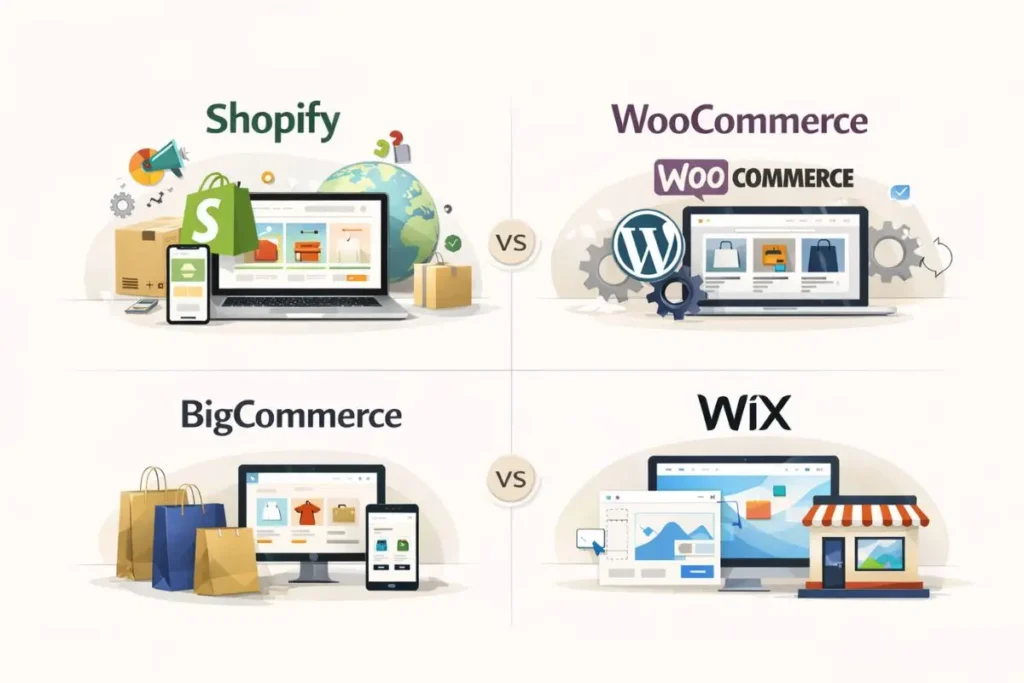
Choosing the right e-commerce platform is essential to building a successful online store. Here are the most popular platforms and their features:
- Shopify: Perfect for beginners, offering an easy-to-use interface, plenty of themes, and robust customer support. Ideal if you’re planning to sell both locally and internationally.
- Pro: Easy setup, built-in marketing tools
- Con: Monthly subscription fees
- WooCommerce: A WordPress plugin for building e-commerce stores. Highly customizable and great for users who are familiar with WordPress.
- Pro: Free plugin, full customization
- Con: Requires hosting and domain management
- BigCommerce: Excellent for businesses with extensive product ranges. It provides a variety of built-in features for scaling.
- Pro: Suitable for larger stores
- Con: Higher monthly fees
- Wix: A drag-and-drop website builder that includes e-commerce features. Best for small stores.
- Pro: Simple design tools, free plan available
- Con: Limited scalability
Each platform has its strengths and weaknesses, so pick the one that aligns best with your business goals.
Register Your Domain and Set Up Hosting
Once your platform is decided, you need to register your domain name and set up hosting.
How to Choose Your Domain:
- Keep It Short and Memorable: Choose a domain that’s easy to remember and related to your business.
- Branding: Your domain should align with your business name and brand.
- Avoid Numbers and Hyphens: These can make your domain harder to remember.
Hosting:
- Shopify and Wix offer hosting with their services, but if you’re using WooCommerce or other platforms, you’ll need a separate hosting provider.
- Choose a reliable web hosting service like Bluehost or SiteGround. Fast and secure hosting improves the performance of your website.
Design Your E-commerce Website
A professional, user-friendly design is essential for converting visitors into customers.
Tips for Effective Website Design:
- Responsive Design: Ensure your site works on all devices, from desktops to smartphones.
- User-Friendly Navigation: Use clear categories and subcategories to make product discovery easy.
- Fast Loading Speed: Slow websites drive away customers. Compress images and use good hosting to ensure fast loading times.
Many platforms, like Shopify and BigCommerce, offer customizable templates that you can easily modify to match your brand. If you have a larger budget, hiring a professional web designer could provide a unique, tailored look for your store.
Add Your Products and Organize Your Store
It’s time to get your products online. Here’s how:

Upload
- High-Quality Images: Customers can’t physically touch your products, so clear, high-quality images are crucial. Include multiple angles and close-ups.
- Detailed Descriptions: Each product should have a thorough description that explains its features, benefits, and specifications.
- Pricing: Make sure your prices are competitive and transparent.
Organization:
- Categories: Divide your products into categories for easier browsing (e.g., “Men’s Apparel,” “Electronics,” etc.).
- Filters: Include filters like size, color, and price to improve the user experience.
A clean, organized store ensures customers can easily find what they’re looking for.
Set Up Payment and Shipping Options
For your store to be operational, you need secure payment gateways and shipping options.
Payment Gateways:
- PayPal: Widely used and trusted by customers, making it a must-have.
- Stripe: A flexible payment processor that supports credit cards and direct payments.
- Credit Card Options: Ensure you accept all major credit and debit cards.
Shipping Options:
- Flat-Rate Shipping: Charge a fixed amount based on the size or weight of the order.
- Free Shipping: Offering free shipping increases conversions, but make sure it fits your pricing structure.
- Shipping Zones: If you plan on shipping internationally, set up shipping zones for different countries or regions.
Optimize Your E-commerce Store for SEO
Search Engine Optimization (SEO) helps your store get discovered online.
Key SEO Tips for Your E-commerce Store:
- Product Page Optimization: Use keywords like “buy [product name] online” and add them to your product title, description, and URL.
- Alt Text for Images: Every product image should have alt text that describes the image for SEO purposes.
- Content Marketing: Start a blog and use SEO-driven content to drive organic traffic to your store.
Optimizing your e-commerce website for search engines is crucial for visibility and attracting traffic.
Market Your E-commerce Store
Now that your store is set up, you need to get the word out.
Strategies:
- Social Media: Promote your store on platforms like Instagram, Facebook, and Pinterest. Use ads to target your ideal customer.
- Email Marketing: Collect customer emails and send promotional emails, product updates, or newsletters.
- Paid Ads: Use Google Ads and Facebook Ads to drive traffic to your website.
Influencer and Affiliate Marketing:
- Collaborate with influencers who align with your brand. They can help you reach a larger audience.
- Start an affiliate program where others promote your products in exchange for a commission.
Track and Analyze Your Store’s Performance
To grow, you must track your store’s performance. Use tools like Google Analytics to monitor:
- Website Traffic: See how many visitors are coming to your store.
- Conversion Rate: Measure how many visitors are actually buying products.
- Customer Behavior: Understand which products are performing well and which need improvement.
A/B Testing
Regularly test different parts of your site (like product pages or checkout forms) to see what works best for your customers.
Maintain and Scale Your E-commerce Store
Running an e-commerce business requires ongoing effort.
Maintenance
- Update Products: Regularly add new products and remove outdated ones.
- Improve Customer Service: Respond quickly to customer queries and address complaints.
- Optimize Site Speed: Regularly check for broken links or slow loading times.
Scaling Your Store
- Expand Your Product Line: Add complementary products that your audience might love.
- International Shipping: Offer international shipping as your business grows.
- Automation: Use tools to automate processes like inventory tracking, email marketing, and order processing.
FAQs
1. How do I start an e-commerce business?
Starting an e-commerce business involves selecting a profitable niche, choosing the right platform, creating a user-friendly website, setting up payment gateways, and implementing effective marketing strategies.
2. How much does it cost to build an e-commerce store?
The cost of building an e-commerce store varies depending on the platform you choose. You can expect to spend between $29/month for basic plans like Shopify or Wix, and more for custom-built websites or feature-rich platforms.
3. Which is the best platform to build an e-commerce store?
The best e-commerce platform depends on your business needs. Popular choices include:
- Shopify: Ideal for beginners.
- WooCommerce: Great for WordPress users.
- BigCommerce: Best for scaling businesses.
- Wix: Easy-to-use for small businesses.
4. How do I promote my e-commerce store?
You can promote your e-commerce store using strategies like social media advertising, email marketing, SEO (Search Engine Optimization), and influencer marketing to drive traffic and increase sales.